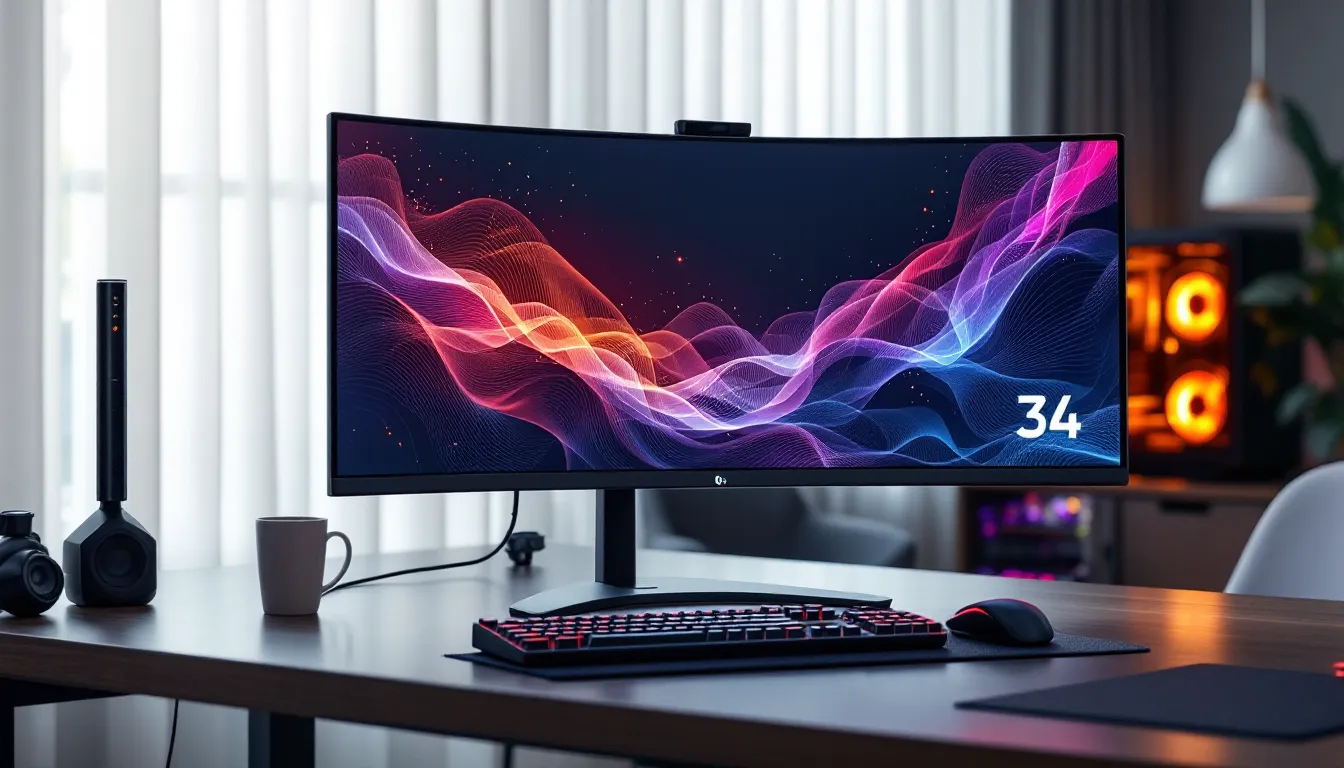

Ultrawide gaming isn’t just a luxury anymore, it’s a legitimate tactical advantage and a gateway to the kind of immersion that standard 16:9 displays can’t touch. LG’s 34-inch gaming monitors have carved out a reputation for balancing performance, color accuracy, and price in ways that matter to both competitive grinders and single-player enthusiasts. Whether you’re tracking enemy movements at the edge of your peripheral vision in Valorant or soaking in the vast landscapes of Elden Ring, that extra horizontal real estate fundamentally changes how you experience games.
But the 34-inch ultrawide market is crowded, and not all panels are created equal. Refresh rates, response times, panel tech, and adaptive sync support vary wildly across LG’s lineup. This guide cuts through the marketing jargon and spec-sheet confusion to help you find the LG 34-inch gaming monitor that matches your playstyle, budget, and hardware. We’ll break down what actually matters in 2026, compare top models, and arm you with the knowledge to make a confident purchase.
Key Takeaways
- LG 34-inch gaming monitors deliver a 33% wider horizontal field of view than standard 27-inch displays, providing tactical advantages in competitive shooters and immersive experiences in single-player games.
- The 3440×1440 resolution is the practical sweet spot for 2026, offering clarity and detail while remaining achievable with mid-range GPUs like the RTX 4070 or RX 7800 XT at 100+ FPS.
- LG’s Nano IPS panels provide superior color accuracy (98-99% DCI-P3) and faster response times than competitor VA panels, making them ideal for both gaming and content creation on 34-inch ultrawides.
- A 144Hz refresh rate is the baseline for competitive gaming, while 160-180Hz models offer diminishing returns; prioritize response time and adaptive sync (FreeSync Premium/G-SYNC Compatible) over extreme refresh rates.
- LG 34-inch gaming monitors undercut premium competitors like ASUS ROG and Samsung while maintaining competitive performance, offering exceptional value for gamers seeking ultrawide immersion without flagship pricing.
- Not all games natively support the 21:9 aspect ratio—use community tools like Flawless Widescreen or GPU driver settings to handle black bars, and ensure your desk setup provides 2.5-3 feet of viewing distance for optimal ergonomics.
Why LG 34 Inch Ultrawide Monitors Dominate Gaming
The Ultrawide Advantage for Competitive and Immersive Gaming
The 21:9 aspect ratio of a 34-inch ultrawide delivers roughly 33% more horizontal screen space than a standard 27-inch 16:9 monitor. In competitive shooters like CS2 or Apex Legends, that translates to wider sightlines, you’ll spot flanking enemies earlier without whipping your mouse as aggressively. In MMOs and MOBAs, you can keep more UI elements visible without cluttering your central focus.
For single-player experiences, ultrawide fundamentally changes immersion. Racing sims benefit massively, iRacing, Assetto Corsa Competizione, and F1 2025 all support 21:9 natively, wrapping peripheral vision around you in a way that makes VR almost feel redundant. Open-world RPGs like Cyberpunk 2077 and Starfield gain cinematic scope that pulls you deeper into their worlds. The tradeoff? Not every game supports ultrawide properly (we’ll cover that pain point later), and you’ll need horsepower to drive all those pixels.
LG’s Position in the Gaming Monitor Market
LG owns a dominant position in the panel manufacturing ecosystem, they produce the actual IPS and Nano IPS panels that many competitors rebrand. That vertical integration gives LG cost advantages and first access to new tech. Their UltraGear gaming line has been aggressively refined since 2020, and by 2026 they’ve built a reputation for reliability and color accuracy that appeals to creators who game and gamers who stream.
Compared to ASUS ROG or Samsung Odyssey offerings, LG typically undercuts on price while maintaining competitive specs. You won’t find the absolute bleeding-edge refresh rates (ASUS pushes 240Hz+ on some ultrawides), but LG’s sweet spot is the 144-180Hz range with excellent color reproduction and reasonable response times. Independent testing from RTINGS consistently ranks LG ultrawides high for color accuracy and motion handling, which matters if you’re splitting time between gaming and content work.
Key Features to Look for in an LG 34 Inch Gaming Monitor
Resolution: 1440p vs 4K Ultrawide
Most LG 34-inch gaming monitors run at 3440×1440 (UWQHD), which is the practical sweet spot in 2026. It’s sharp enough for detail work and gaming clarity without murdering your GPU. A typical RTX 4070 or RX 7800 XT can push 100+ FPS in most titles at this resolution with high settings.
5120×2160 (5K2K) ultrawide options exist but remain niche, they’re overkill for a 34-inch panel (pixel density becomes almost imperceptible), and the performance hit is brutal. You’d need an RTX 4080 Super or higher to maintain playable frames in modern AAA games. Unless you’re doing heavy photo editing or 4K video work, stick with 3440×1440.
Refresh Rate and Response Time Considerations
For competitive gaming, 144Hz is the baseline in 2026. It’s smooth enough for twitchy shooters and well-supported across titles. LG’s higher-end models push 160Hz or 180Hz, which offers diminishing but noticeable returns if you’re chasing every edge in ranked play. Anything below 120Hz on an ultrawide feels dated now.
Response time is where panel tech matters. LG advertises 1ms (GtG) on many models, but real-world performance varies:
- Native IPS response times hover around 4-5ms in practice, which is fine for most gamers.
- Overdrive settings can push closer to 2ms but introduce inverse ghosting if you max them out.
- VA panels trade faster GtG for worse pixel transitions in dark scenes (more on that below).
For competitive FPS, aim for advertised 1ms GtG with overdrive. For everything else, 5ms native is perfectly playable.
Panel Technology: IPS vs VA vs Nano IPS
LG’s gaming monitors primarily use IPS and Nano IPS panels, with VA appearing in budget models.
IPS (In-Plane Switching):
- Wide viewing angles (crucial for ultrawide edges)
- Good color accuracy (typically 95-99% sRGB)
- Faster response times than VA
- Weaker contrast ratios (1000:1 typical), so blacks look grayish
Nano IPS:
- LG’s quantum dot-enhanced IPS variant
- Wider color gamut (98-99% DCI-P3), better for HDR content
- Slightly better brightness (400-450 nits vs 350 for standard IPS)
- Premium pricing but worth it if you value color pop
VA (Vertical Alignment):
- Superior contrast (3000:1+), deeper blacks
- Narrower viewing angles (problematic on curved ultrawides)
- Slower dark-level pixel transitions cause smearing in fast motion
- Best for dark-room gaming in slow-paced titles
For a 34-inch gaming ultrawide, Nano IPS is the enthusiast choice, standard IPS is the practical pick, and VA is a compromise you accept to save $150-200.
Adaptive Sync Technology: G-SYNC and FreeSync
Almost every LG 34-inch gaming monitor in 2026 supports AMD FreeSync Premium natively and NVIDIA G-SYNC Compatible certification. This means variable refresh rate (VRR) works on both AMD and NVIDIA GPUs without issues, no need to pay the G-SYNC module tax that used to inflate monitor prices.
Key differences:
- FreeSync Premium: Guarantees low framerate compensation (LFC) and 120Hz+ support. Works flawlessly with Radeon cards.
- G-SYNC Compatible: NVIDIA’s validation that FreeSync works without flicker or range issues. Most LG UltraGears pass this easily.
- G-SYNC Ultimate: Rare on LG monitors (ASUS and Acer dominate here). Adds hardware module for better HDR and latency, but costs $200+ more.
Bottom line: Unless you’re chasing the absolute best HDR performance and own an RTX 4090, FreeSync Premium/G-SYNC Compatible is more than enough. Testing from PC Gamer confirms adaptive sync performance on LG ultrawides is indistinguishable from native G-SYNC in real gameplay.
Top LG 34 Inch Gaming Monitors in 2026
Best Overall: Premium Performance Pick
LG 34GP950G-B (or its 2026 successor in the UltraGear lineup)
This model (or its equivalent refresh) typically features:
- 3440×1440 Nano IPS panel
- 180Hz refresh rate with 1ms (GtG) response time
- DisplayHDR 600 certification (local dimming zones for better contrast)
- G-SYNC Compatible + FreeSync Premium
- 98% DCI-P3 color gamut
It’s the jack-of-all-trades that excels everywhere. Competitive players get high refresh and low latency. Single-player enthusiasts get rich colors and decent HDR. Streamers and creators get accurate color reproduction for editing between matches. Expect to pay $700-850 depending on sales.
Best Value: Budget-Friendly Ultrawide
LG 34GL750-B or similar budget UltraGear model
The value tier trades some features for accessibility:
- 2560×1080 (UWFHD) resolution (less sharp but easier to drive)
- 144Hz refresh rate
- Standard IPS panel (not Nano)
- FreeSync support
- Basic HDR or none
This is the entry point for ultrawide gaming, usually $350-450. The lower resolution means a GTX 1660 Ti or RX 6600 can handle it, making it perfect for budget builds or esports-focused setups where you prioritize frame rate over visual fidelity.
Best for Competitive Gaming: High Refresh Rate Champion
LG 34GN850-B or its 2026 equivalent
This is the tryhard’s choice:
- 3440×1440 Nano IPS
- 160Hz native, often overclockable to 180Hz
- 1ms (GtG) with aggressive overdrive
- Minimal input lag (testing shows <4ms total)
- FreeSync Premium + G-SYNC Compatible
It sacrifices HDR quality (usually only DisplayHDR 400, which is borderline marketing) for pure responsiveness. If you’re grinding ranked in Valorant, Overwatch 2, or Rainbow Six Siege, this is where your money should go. Price hovers around $600-700.
Best for Color Accuracy and Content Creation
LG 34WK95U-W or similar UltraFine model
While marketed more for creators, this crossover hits different priorities:
- 5120×2160 (5K2K) resolution (overkill for gaming but gorgeous for editing)
- 60Hz or 75Hz refresh (not for competitive play)
- Nano IPS with 98%+ DCI-P3 coverage
- Thunderbolt 3/4 connectivity for MacBook users
- Factory calibration (Delta E <2)
This is the monitor for streamers who edit their VODs, YouTubers who game for content, or hybrid workers who need color accuracy during the day and want to unwind in Baldur’s Gate 3 at night. Don’t buy this for competitive shooters, the refresh rate will frustrate you. Pricing is steep at $900-1100.
Performance Breakdown: How LG 34 Inch Monitors Handle Different Games
FPS and Competitive Shooters
Ultrawide in competitive FPS is controversial. CS2, Valorant, and Overwatch 2 all support 21:9, but the advantage is subtle, most engagements happen in your central vision anyway. Where it shines is in games like Battlefield 2042 or Call of Duty: Modern Warfare III, where larger-scale battles benefit from peripheral awareness.
Performance expectations at 3440×1440:
- RTX 4070 / RX 7800 XT: 120-160 FPS on high settings in most shooters
- RTX 4060 Ti / RX 7700 XT: 90-120 FPS, medium-high settings
- RTX 3060 / RX 6700 XT: 70-100 FPS, medium settings or competitive low
The pixel count is roughly 35% higher than 1440p 16:9, so plan GPU accordingly. If you’re frame-chasing in esports titles, you’ll likely run lower settings anyway to maximize refresh rate utilization.
RPGs and Open-World Adventures
This is where ultrawide earns its keep. Cyberpunk 2077, Red Dead Redemption 2, Elden Ring, Starfield, and The Witcher 3 all look phenomenal in 21:9. The horizontal FOV expansion doesn’t just add screen space, it fundamentally changes composition and immersion.
LG’s Nano IPS panels especially shine here. The wider DCI-P3 gamut makes HDR content (even the limited DisplayHDR 400 tier) more impactful in games with strong art direction. Horizon Forbidden West on PC, A Plague Tale: Requiem, and Resident Evil 4 Remake all benefit from the color vibrancy.
Performance tips:
- Target 60-90 FPS for single-player comfort. You don’t need 144Hz here.
- Enable in-game HDR if your monitor supports DisplayHDR 400+, but calibrate brightness, LG’s defaults often crush blacks.
- Use DLSS or FSR upscaling on demanding titles. Quality mode at 3440×1440 looks nearly native and reclaims 30-40% performance.
Racing and Simulation Games
Racing and flight sims are ultrawide’s killer app. iRacing, Assetto Corsa Competizione, Microsoft Flight Simulator, and Gran Turismo 7 (via PC emulation or if Sony ever ports it properly) gain situational awareness that directly improves lap times and immersion.
The curved panel on LG’s 1800R or 1000R models wraps peripheral vision naturally, mimicking what you’d see in an actual cockpit. Combined with high refresh rates (144Hz+), the sensation of speed and smoothness is visceral. Many sim racers run triple-monitor setups, but a single 34-inch ultrawide delivers 70% of the experience at a third of the cost and desk space.
Setting Up Your LG 34 Inch Gaming Monitor for Optimal Performance
Calibration and Picture Settings
Out-of-box settings on LG gaming monitors tend to be overly bright with exaggerated saturation. Here’s a starting calibration for most LG UltraGear models:
Basic settings:
- Brightness: 70-80% (adjust based on ambient light)
- Contrast: 70% (higher crushes detail in bright scenes)
- Sharpness: 50% (higher introduces edge halos)
- Color Temp: Warm or Custom (Cool is too blue)
- Black Stabilizer: Off or minimal (cranking it ruins contrast)
Gaming-specific tweaks:
- Response Time (overdrive): Start at Normal or Fast. Faster introduces inverse ghosting in most LG panels.
- FreeSync/G-SYNC: Enabled in both monitor OSD and GPU driver.
- Dynamic Action Sync (DAS): Enable this, it’s LG’s low-latency mode that reduces input lag by a few milliseconds.
HDR setup:
If your model supports DisplayHDR 400 or higher, enable it in Windows display settings only when launching HDR-enabled games. Don’t leave it on for desktop use, Windows HDR still washes out colors in SDR content. In-game, set HDR peak brightness to match your monitor’s spec (400, 600, or 1000 nits).
Connecting to Your Gaming PC or Console
For PC gaming, use DisplayPort 1.4 or higher. HDMI 2.0 caps out at 100Hz on 3440×1440, so you’ll lose frames if your monitor supports 144Hz+. HDMI 2.1 (available on newer LG models and RTX 40-series/RX 7000-series cards) supports full bandwidth, but DisplayPort is more universally compatible.
Console limitations:
- PS5 and Xbox Series X/S: Both support 21:9 aspect ratios in theory, but most games render in 16:9 and letterbox on ultrawide. Call of Duty titles, Fortnite, and a handful of others support it natively. HDMI 2.1 gives you 120Hz support at 1440p (some games), but ultrawide adoption on consoles remains spotty.
- Nintendo Switch: Outputs 16:9 only. Expect black bars.
If you’re primarily console gaming, a 34-inch ultrawide isn’t the best investment, consider a 32-inch 16:9 4K display instead.
Ergonomics and Desk Setup Considerations
A 34-inch ultrawide is physically large, roughly 32 inches wide and 14 inches tall. Make sure your desk depth is at least 24 inches. Sitting too close (less than 2 feet) forces excessive head movement and strains peripheral vision. The sweet spot is 2.5-3 feet back.
Mounting options:
- Most LG UltraGear monitors include height-adjustable stands with tilt and swivel.
- VESA 100x100mm mounts are standard for arm compatibility.
- A monitor arm frees up desk space and lets you dial in ergonomics precisely.
Cable management:
Ultrawide setups look cluttered fast. Route DisplayPort, USB (if your monitor has a hub), and power through a cable raceway or arm-integrated channels. LG’s On-Screen Control software (available on Windows and macOS) lets you manage settings without fumbling with monitor buttons, which is a small but appreciated quality-of-life feature.
Common Issues and Troubleshooting Tips
Dealing with Black Bars and Compatibility
Not every game supports 21:9 natively. Older titles, some competitive games (for fairness), and poorly optimized ports will either letterbox (black bars on the sides) or stretch awkwardly.
Workarounds:
- Flawless Widescreen: Community tool that patches FOV and aspect ratio support into hundreds of games. Works for Dark Souls III, Sekiro, and others that don’t officially support ultrawide.
- Hex editing config files: Many Unreal Engine and Unity games store aspect ratio limits in .ini files. A quick search for “[game name] ultrawide fix” usually surfaces solutions.
- Pillarboxing vs. stretching: In your GPU driver (NVIDIA Control Panel or AMD Adrenalin), you can choose how non-native content displays. Pillarboxing (black bars) preserves aspect ratio: stretching fills the screen but distorts geometry.
Some competitive games (like Valorant and League of Legends) deliberately crop or limit FOV in ultrawide to maintain competitive parity. You’ll see black bars, and that’s by design.
Managing GPU Requirements and Performance
Driving 3440×1440 at high refresh rates is GPU-intensive. If you’re struggling to hit your monitor’s refresh cap:
Optimization checklist:
- Enable DLSS/FSR: Quality mode is nearly indistinguishable from native at ultrawide resolutions and can boost FPS by 40-50%.
- Prioritize settings: Shadows, ambient occlusion, and reflections hit hardest. Drop those first before touching textures or model detail.
- Lock frame rate strategically: If you’re bouncing between 80-120 FPS, locking at 90 with FreeSync/G-SYNC enabled feels smoother than wildly variable frames.
- Monitor temps and power limits: Ultrawide gaming pushes sustained GPU load. Ensure adequate cooling and consider undervolting if you’re thermal-throttling.
If your GPU is genuinely underpowered (e.g., RTX 3050 or RX 6600 trying to push 3440×1440), consider running games at 2560×1080 (21:9 but lower resolution) or 2560×1440 (16:9 windowed/scaled). The former maintains aspect ratio with a sharpness hit: the latter adds black bars but keeps pixel density.
LG 34 Inch Gaming Monitor vs the Competition
How LG Compares to Samsung and ASUS Ultrawides
LG vs. Samsung Odyssey:
Samsung’s Odyssey G5 and G7 ultrawide lines push aggressive curves (1000R) and higher refresh rates (165-240Hz), but use VA panels. This gives them superior contrast and deep blacks, but slower pixel response times cause smearing in fast motion. LG’s IPS and Nano IPS panels trade contrast for faster transitions and better viewing angles.
Verdict: Choose Samsung if you prioritize contrast and play in dark rooms. Stick with LG for color accuracy, faster response, and less motion blur.
LG vs. ASUS ROG:
ASUS ROG ultrawides (like the PG34 series) often feature higher refresh rates (175-240Hz) and premium HDR (G-SYNC Ultimate with full-array local dimming). They’re the enthusiast tier but cost $200-400 more than equivalent LG models. Build quality and OSD software are marginally better on ASUS, but the performance gap in real gameplay is narrow.
Verdict: LG offers 85% of ASUS performance at 70% of the cost. Unless you’re chasing absolute peak specs, LG’s value proposition wins.
LG vs. budget brands (AOC, MSI, Gigabyte):
Budget brands often use LG panels anyway (they’re one of the largest suppliers). The difference is binning, warranty, and quality control. LG’s UltraGear line tends to have fewer dead pixels, more consistent backlighting, and better firmware support. Recent reviews on TechRadar highlight LG’s reliability advantage, which matters for a $600+ purchase.
Is 34 Inches the Sweet Spot or Should You Go Bigger?
34-inch (21:9) pros:
- Manageable pixel count (easier to drive with mid-range GPUs)
- Fits standard desks without overwhelming the setup
- Mature ecosystem with tons of native game support
- Sweet spot for competitive gaming (not too wide to lose focus)
38-inch (21:9) or 49-inch (32:9) alternatives:
- 38-inch 21:9 (3840×1600): Slightly sharper and more immersive, but pixel count jumps 25%, requiring beefier GPUs. Desk space becomes tight.
- 49-inch 32:9 (5120×1440 or 5120×2160): Essentially two 27-inch monitors side-by-side. Incredible for sim racing and productivity, but many games don’t support 32:9 well, and you’ll deal with more black bars. Also, turning your head to see minimap or UI elements gets fatiguing.
For gaming specifically, 34-inch 21:9 remains the sweet spot in 2026. It’s wide enough for immersion and competitive advantage without the compromises of larger formats. If you’re leaning bigger, make sure your primary games and use cases (sim racing, flight sims, productivity multitasking) justify the jump.
Conclusion
LG’s 34-inch gaming monitors occupy a rare position: they’re simultaneously safe picks and genuinely exciting upgrades. Whether you’re stepping up from a 27-inch 16:9 display or diving into ultrawide for the first time, LG’s combination of reliable panels, competitive pricing, and broad compatibility makes them hard to beat in 2026.
The key is matching the monitor to your use case. Competitive players should prioritize refresh rate and response time over HDR gimmicks. Single-player enthusiasts and creators gain more from Nano IPS color accuracy and wider gamut coverage. Budget-conscious gamers can still access ultrawide immersion with lower-resolution models that don’t demand flagship GPUs.
Ultrawide isn’t perfect, game compatibility issues persist, GPU requirements are real, and console support remains inconsistent, but for PC gamers who value immersion and have the hardware to drive it, a 34-inch ultrawide fundamentally changes how games feel. LG’s lineup offers an entry point for almost every budget and playstyle, and in a market crowded with hype and overpriced specs, that’s worth celebrating.